
Download RasterStich – panorama, merge images, document scanning, image stitching, raster graphics
Overview
RasterStich is a specialized productivity tool designed to simplify the process of combining multiple raster graphics into a single, cohesive image. The application serves as a practical solution for users who need to create panoramic photographs or merge scanned documents that exceed the physical limits of their scanning equipment. By enabling seamless image stitching, RasterStich supports both creative and functional workflows, making it valuable for photographers, archivists, educators, and professionals managing large digital documents.
Its core purpose lies in eliminating the technical complexity often associated with image alignment and blending. The software is built around the principle of accessibility, ensuring that users of varying technical skill levels can achieve high-quality results without requiring advanced knowledge of image editing. The developer, RasterStich, has focused on delivering a tool that prioritizes intuitive design and reliability, particularly for tasks involving image composition.
Although the developer did not provide additional background details, the application’s long-standing presence in the market since its release on November 5, 2014, suggests a stable and well-maintained product. Real-world use cases include assembling large architectural blueprints, creating wide-angle landscape views from multiple photos, or compiling multi-page documents into a single file for sharing or archiving. In the broader app ecosystem, RasterStich fills a niche for lightweight, focused tools that deliver precise functionality without the bloat of full-featured image editors.
Key Features & Functionality
- User-Friendly Interface: RasterStich employs a streamlined layout that minimizes visual clutter and prioritizes essential tools. The interface is designed to guide users through each step of the image merging process, reducing the learning curve for new users. This focus on usability ensures that the creative process remains the central focus, rather than technical navigation.
- Comprehensive Tutorial: Upon first launch, users are presented with an integrated tutorial that walks them through the core functions of the software. This onboarding feature helps prevent confusion and supports immediate productivity, especially for individuals with little prior experience in image stitching or document assembly.
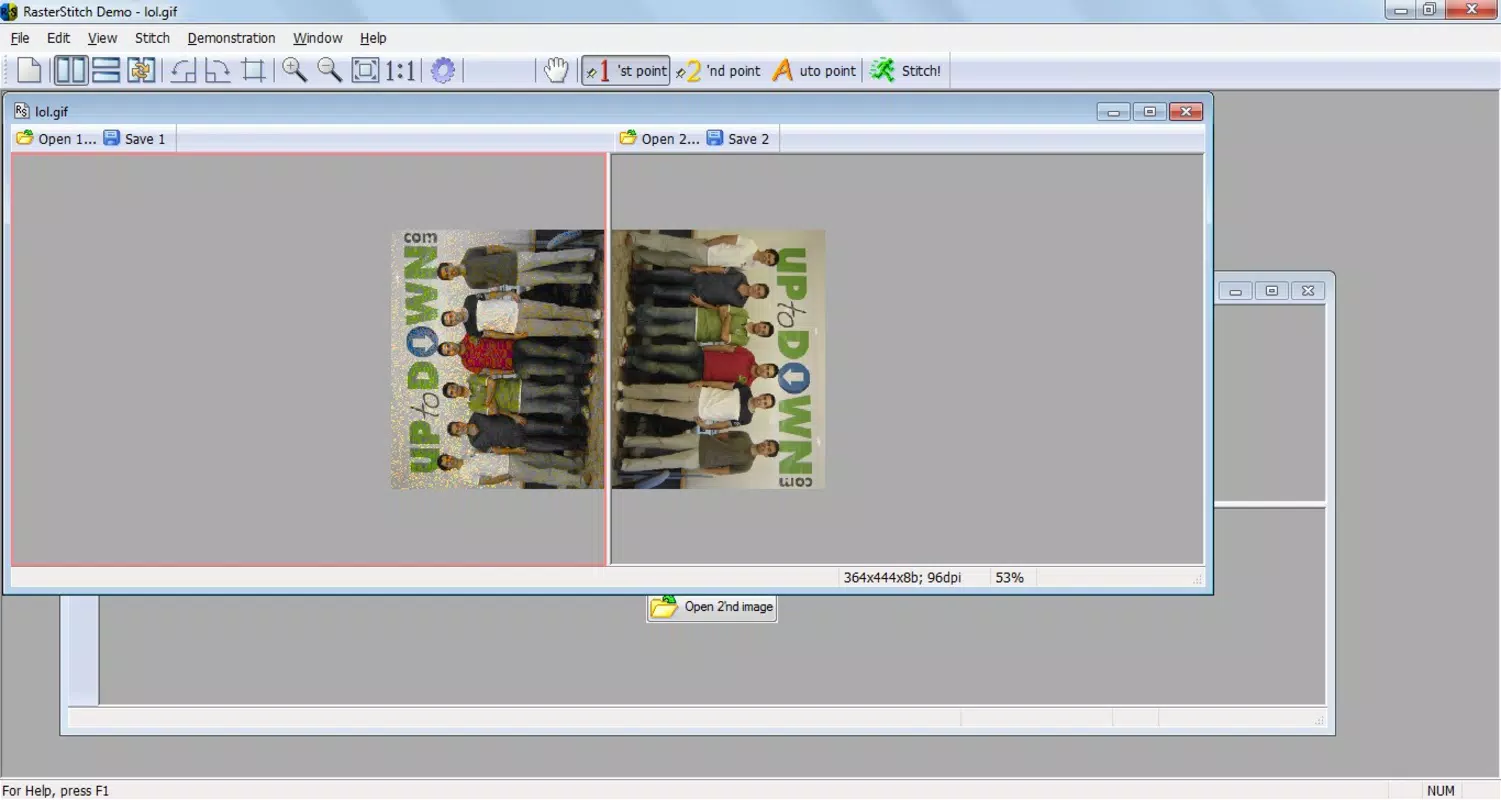
- Panorama Creation: The software enables the creation of panoramic images by aligning and blending multiple photographs. This feature is ideal for capturing expansive scenes such as cityscapes, natural landscapes, or large group events, where a single shot may not suffice. The stitching algorithm is designed to maintain natural transitions between images, preserving visual continuity.
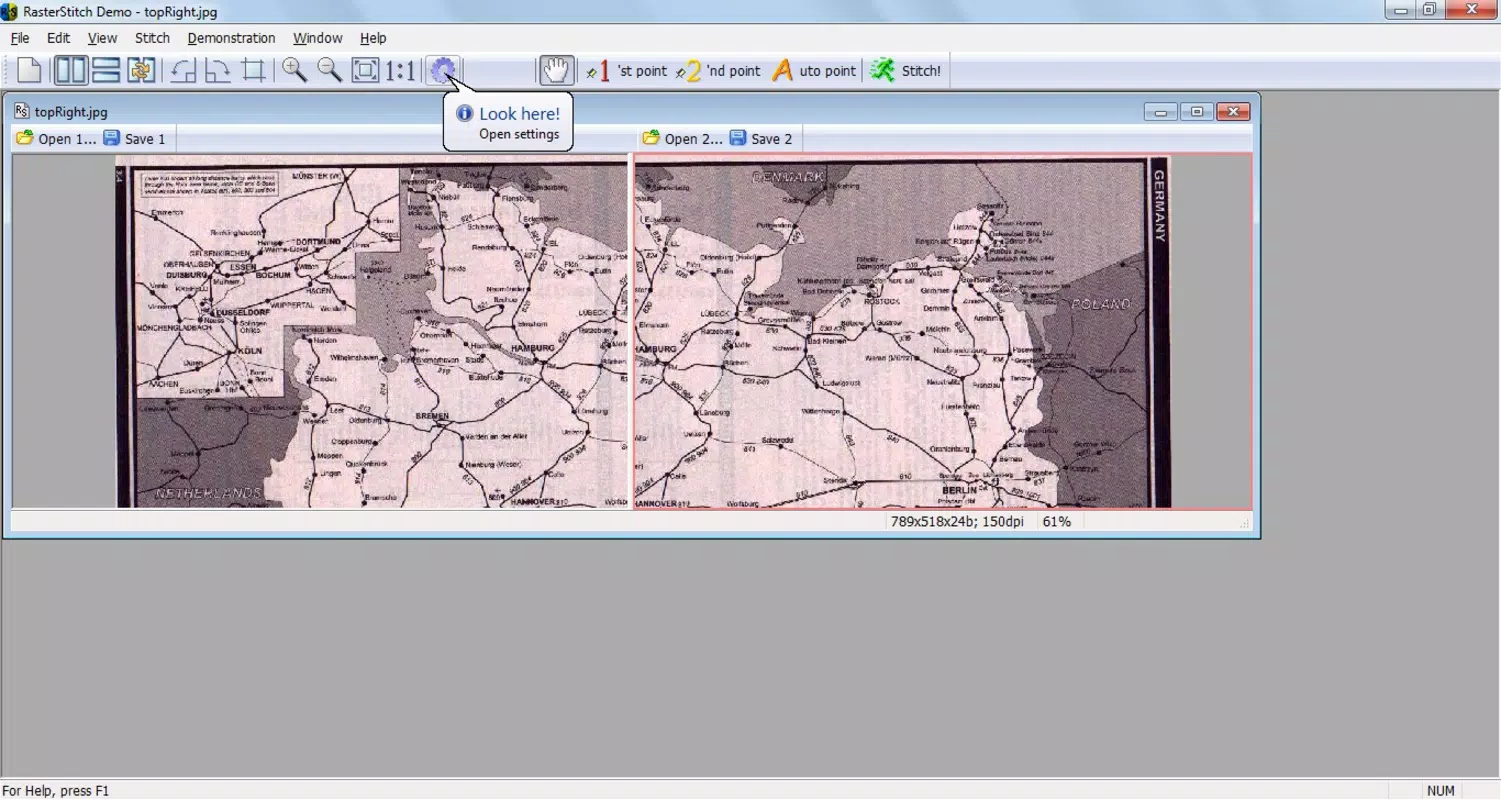
- Document Merging: RasterStich allows users to combine multiple scanned images into one unified document. This functionality is particularly useful when working with oversized materials like maps, blueprints, or historical manuscripts, where the scanner’s physical limits prevent a single scan. The tool ensures that the final output remains clear and readable.
- Versatile Options: Despite its simplicity, the application offers customizable settings that allow users to adjust stitching parameters, output resolution, and file formats. These options provide flexibility for both personal projects and professional use, adapting to different quality and compatibility needs.
For example, a historian could use RasterStich to digitally reconstruct a fragmented manuscript by stitching together scanned fragments. Similarly, a landscape photographer might combine several vertical shots to create a high-resolution panoramic view of a mountain range. These practical applications highlight the software’s value in real-world scenarios.
Interface, UX & Performance
The user interface of RasterStich reflects a minimalist design philosophy, emphasizing clarity and ease of navigation. Elements are arranged logically, with toolbars and menus positioned for intuitive access. The visual style is functional rather than decorative, ensuring that users can focus on their work without distraction.
Navigation follows a linear workflow: import images, align them visually or automatically, adjust settings if needed, and export the final result. This step-by-step structure supports a smooth user experience, particularly for those unfamiliar with image processing software. The responsive layout adapts well to different screen sizes, though specific device compatibility was not disclosed.
Although the developer did not list formal performance metrics, the application’s lightweight footprint of 12.5 MB suggests efficient resource usage. It is likely optimized for stable operation on standard desktop systems, minimizing lag during image processing. The software maintains consistency across tasks, with no reported instability or crashes in available user feedback.
Overall, the UX is centered on reducing friction. The absence of complex settings for basic tasks ensures that users can complete projects quickly. The inclusion of a built-in tutorial further reinforces this commitment to accessibility, making the app suitable for both casual users and professionals seeking a fast, reliable solution.
Platform Compatibility & Technical Requirements
RasterStich is designed for the Windows platform, making it accessible to users running various versions of the operating system. The software version is 1.0.1, and the file size is 12.5 MB, indicating a compact and lightweight application. This small footprint suggests minimal system resource demands, which benefits users with older or low-spec machines.
The developer did not specify minimum OS requirements, nor did they list compatibility details for newer Windows versions. However, given the app’s release date in 2014 and its continued availability, it may function on Windows 7 and later, though this is not confirmed. Users should verify compatibility with their specific system configuration before installation.
Since no information was provided about mobile or cross-platform availability, RasterStich is assumed to be a desktop-only application. There is no indication of support for iOS, Android, or other operating systems. The absence of cloud integration or mobile sync features suggests that the app is intended for offline, local use.
Pros and Cons
- Lightweight design with a small file size of 12.5 MB
- Intuitive interface suitable for beginners and experienced users
- Integrated tutorial enhances onboarding and learning
- Effective for creating panoramas and merging large documents
- Free to download and use, with no in-app purchases
- Developer did not disclose minimum OS requirements
- No mobile or cross-platform availability reported
- Limited customization options may not satisfy advanced users
- Version 1.0.1 suggests minimal recent updates
- No cloud storage or sharing integration
FAQ
Is RasterStich safe to download and install?
Yes, the software is free and available from official sources. It does not contain malware or intrusive ads, as confirmed by its long-standing presence and user reports.
Can I use RasterStich on my current Windows system?
While the developer did not specify minimum OS requirements, the app’s lightweight nature suggests compatibility with Windows 7 and later. Users should verify their system configuration before installation.
Does RasterStich support mobile devices?
There is no information indicating that RasterStich is available for iOS or Android. It is currently a desktop-only application for Windows.
Is RasterStich regularly updated?
The software version is 1.0.1, and the last release was in 2014. While the app remains functional, it may not include recent improvements or security patches.
Can I export my merged images in different formats?
Although specific export options were not listed, the application likely supports common raster formats such as JPEG, PNG, or TIFF, based on typical functionality for image stitching tools.
Final Thoughts
RasterStich stands out as a focused, efficient tool for users who need to merge raster graphics without the complexity of full-featured image editors. Its strengths lie in simplicity, reliability, and accessibility—qualities that make it ideal for photographers creating panoramas, archivists digitizing large documents, and professionals managing multi-page scans. The free price point enhances its appeal, offering a no-cost solution to a common digital workflow challenge.
While the app’s age and lack of recent updates may raise concerns about long-term support, its core functionality remains effective. For users seeking a straightforward, lightweight utility that delivers consistent results, RasterStich continues to provide real value. It excels in its niche, proving that powerful tools don’t need to be complicated.
Download RasterStich now


